Following best practices is crucial for maintaining secure, efficient, and effective systems. They represent tried-and-true methods that have been proven to work effectively in various scenarios. If followed they will steer you away from trouble and point you in the direction of success
Below is a list of common IT practices every company and IT professional should implement or be aware of:
Security

- Implement Strong Password Policies: Enforce complex, regularly updated passwords that are not reused or written. Where possible a company wide Password Manager such as Bitwarden should be used for both staff and Internal Passwords.
- Use Multi-Factor Authentication (MFA): Add an extra layer of security for user accounts and third party services. It’s something that really makes a difference.
- Regularly Update Software: Ensure all systems and applications are up-to-date with the latest security patches.
- Perform Regular Security Audits: Systematically go over your network and systems to Identify and fix vulnerabilities. Maybe a firewall rule is no longer needed or you don’t recognise a certain program recently installed on a server
- Encrypt Sensitive Data: Personal information and data which will have a serious impact if inadvertently released should be encrypted at rest and in transit.
- Implement Advanced Firewalls: & Intrusion Prevention Systems: Prevent attackers from entering your network. Advanced Firewall appliances are now very affordable and help prevent attackers getting into the network, or phoning home once inside. They offer a huge improvement in network visibility and security over traditional Access Control List based firewalls.
- Use Centralised Anti-Malware Tools: All workstations and servers should be running a capable Anti-Malware software such as SentinelOne or Gravity Zone which can be manage all devices on the network under a single interface and provide real time visibility on the security of the network including automated threat actions to isolate incidents.
- Limit User Access: Apply the principle of least privilege, giving users only the access they need for certain systems or file shares.
- Conduct Phishing Training: Educate employees about recognizing and avoiding phishing attacks. Security Awareness KnowBe4 are an excellent way to train staff on the different types of risks and identify potential shortfalls
- Monitor Network Traffic: Continuously monitor for suspicious activity. This can include new devices connected to the internet, the IP addresses connected to the internal VPN’s and looking for irregularities such as a huge spike in upload traffic for a particular device.
Data Management
- Back Up Data Regularly: Ensure frequent backups of critical data and systems. All servers should be backed up at-least daily. Adopt the 3-2-1 backup rule.
- Use Offsite Backup Storage: Store backups in a secure offsite location or cloud. A backup is no good if it was stored in the same building that burnt down or caught in the same incident that requires the backup.
- Have One Offline Backup: Ensure at-least one copy of your data is ‘offline’ and not attached to the server, ransomware and breaches have been known to wipe backups!
- Regularly Test Data Restoration: Ensure that backup data can be restored in case of a disaster and staff are familiar with the process.
- Implement Data Retention Policies: As an organisation, decide how long different types of data should be kept. This will influence your backup schedule and long term archival procedures.
- Use Version Control: Keep track of changes to important files and documents. This is a native feature of many operating systems, storage devices and cloud platforms.
- Implement Data Loss Prevention (DLP): Prevent unauthorized access and sharing of sensitive data either intentional or accidentally. This is a feature of many email platforms including Office365.
- Secure Database Access: Limit database access and associated permissions to authorized personnel only.
- Segment Data: Organize data into categories for easier management and security. This could be as simple as having a share drive for each department.
- Implement Data Classification: Categorize data based on its sensitivity and importance, for example documents tagged with ‘Internal Data’, ‘Public Data’, ‘Restricted Data’
Network Management
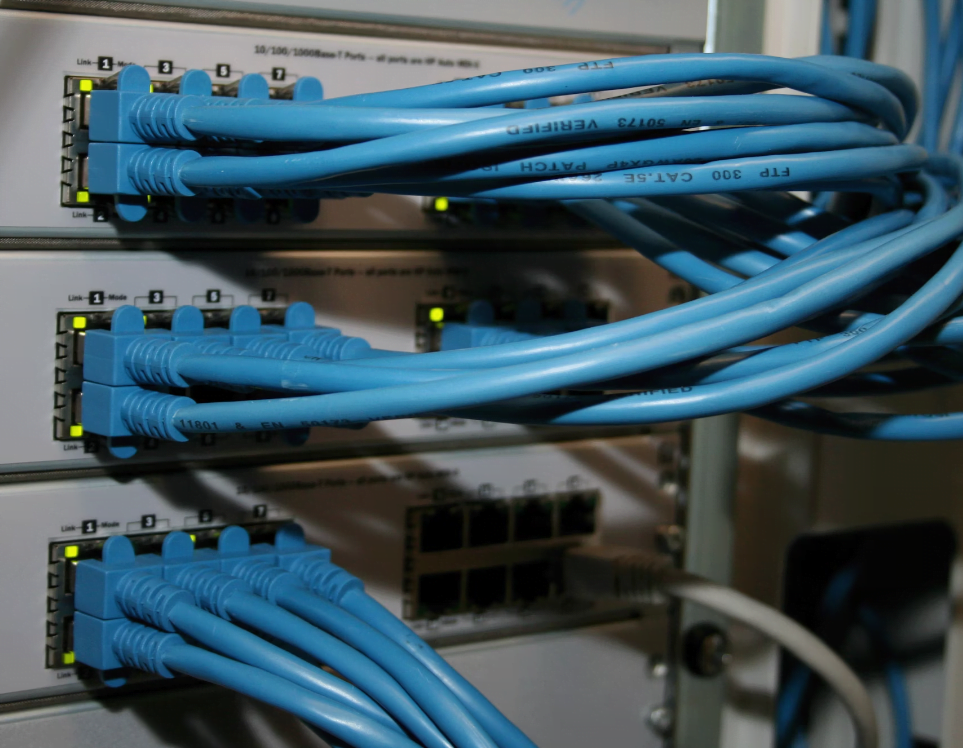
- Regularly Update Network Hardware Firmware: Ensure firewalls, routers, switches, wireless access points and other devices are up-to-date. Quite regularly vulnerabilities are found within them.
- Take Backups of Network Hardware Configuration: Have a recent backup of the devices configuration in he case you need to roll back
- Use VLANs to Segment Networks: Improve security and performance by segmenting network traffic. Where possible break the network into several different smaller networks and vlans such as ‘Printers’, ‘VoIP’, ‘Device Management’, ‘Servers’, ‘Staff Wifi’, ‘Guest Wifi’, ‘VLAN for each department’
- Implement Quality of Service (QoS): Prioritize critical network traffic at both a layer 2 and layer 3 level
- Monitor Bandwidth Usage: Track and optimize bandwidth usage on switch uplinks and WAN links to prevent congestion.
- Implement Redundancy: Use redundant links and hardware to avoid single points of failure. At a minimum you should have 2 different WAN gateways and a redundant uplink to switch’s
- Have Spare Hardware: Always have spare hardware onsite for critical infrastructure. Equipment always fails at the worse times and can have lengthy lead in times!
- Secure Wi-Fi Networks: Use strong encryption and authentication methods for wireless networks. For larger networks Radius authentication should be used instead of a pre-shared key.
- Document and Regularly Review Firewall Rules: Ensure firewall rules are up-to-date, documented and still relevant.
System Administration

- Standardize System Configurations: Maintain consistency across systems for easier management. Hardware and software should be very similar between sites, not mixed and matched.
- Document IT Procedures: Keep detailed documentation for processes and configurations.
- Use Automated Patch Management: Ensure systems are patched automatically and regularly. Many RMM platforms include this, however there are standalone platforms such as Action1 manage patch’s and vulnerabilities.
- Implement Change Management Processes: Track and approve system changes. This helps troubleshoot problems that a new change created, provides notices to stakeholders and ensures the new changes are signed off correctly.
- Regularly Review User Accounts: Routinely review all active accounts and remove accounts that are no longer needed. Terminated staff should have accounts immediately disabled, however they occasionally slip through the cracks.
- Set Up Role-Based Access Control (RBAC): Assign permissions based on user roles instead of individually assigning permissions to each user.
- Monitor System Logs: Regularly review logs for unusual activity or errors. In particular look for failed authentication attempts.
- Ensure Physical Security of Servers: Restrict physical access to server rooms with an access control system and equipment with locks for authorised staff only. Networking equipment should be in locked networking cabinets. Consider a CCTV camera and electronic method to record entry.
- Virtualised Servers: Consideration should be taken if servers can be virtualised to allow for easier upgrade, restoration and use of the hardware.
- Asset Register: Maintain detailed records of what servers, workstations and equipment is in the organisation
Software Development

- Follow Secure Coding Practices: Write code that minimizes vulnerabilities, such as input sanitisation.
- Use Code Repositories: Store and version control code using tools like Git.
- Perform Regular Code Reviews: Identify and fix issues early in the development process as part of being committed and on major mile stones.
- Document Code: Make it easier for others and yourself to understand and maintain the code.
- Conduct Security Testing: Regularly test software for security vulnerabilities.
- Use API Gateways: Use secure authenticated API’s to exchange data between systems. Database access should never be exposed to the internet or third party organisations!
Cloud Computing
- Implement Multi-Cloud Strategies: Avoid vendor lock-in by using multiple cloud providers.
- Apply Cloud Cost Management: Monitor and optimize cloud spending. Be sure to setup billing alerts!
- Implement Cloud Disaster Recovery: Ensure business continuity with cloud-based DR plans. The cloud does fail catastrophically!
- Regularly Review Cloud Service Agreements: Ensure compliance with terms and conditions, and acceptable usage policies.
Compliance and Governance

- Follow Industry Regulations: Ensure adherence to relevant standards like GDPR, HIPAA, PCI etc
- Implement IT Governance Frameworks: Use frameworks like COBIT or ITIL for effective IT management.
- Document Compliance Procedures: Keep detailed records of compliance activities such as audits, certifications and changes.
- Conduct Regular Compliance Audits: Ensure all processes meet regulatory requirements. Compliance is not a once off event and needs to maintained.
- Implement a BYOD Policy: Manage security and compliance for personal devices, even if your policy is to forbid ‘Bring Your Own Devices’.
- Ensure Data Privacy: Follow best practices for data protection and privacy. Local regulations such as GDPR and Australian Privacy Principles.
- Regularly Update Security Policies: Ensure policies reflect the latest threats and regulations.
Disaster Recovery and Business Continuity

- Develop a Disaster Recovery Plan: Take the guess work out recovery, have a plan and checklist to help guide your team through recovering from unexpected events.
- Regularly Test the DR Plan: Conduct drills to ensure the plan works as expected, what did & didn’t work and improve upon it.
- Implement Redundant Systems: Use redundancy to ensure availability during failures. This can include a warm environment to fail-over over onto or redundancy into core systems such as using a Galera database cluster instead of a single database.
- Conduct Regular Risk Assessments: Identify potential risks to business continuity
- Document Business Continuity Plans: Ensure all stakeholders know their roles in a disaster
- Implement Emergency Communication Systems: Ensure effective communication during a crisis. Examples of this include a status page, social media templates and backup communication method.
User Support and Training

- Set Up a Help Desk: Have a formal established person and process within the organisation to get assistance on technical issues and inquiries.
- Implement a Ticketing System: Track and manage support requests using a ticketing system that allows the issue to be tracked and referenced. This helps prevent duplicate cases for the same issue being raised or the issue being forgotten.
- Provide Regular IT Training & Security Updates: Keep users informed about best practices and security. This could be as simple as a weekly or monthly email to scheduled refresher training
- Create IT Knowledge Base: Offer self-service resources for common issues. This help’s users solve common issues on their own, establishes a formal process and can be handy to refer to when discussing an problem with the user.
- Offer New Employee IT Orientation: Ensure new hires understand IT policies, where and how to correctly get help and get setup.
- Monitor User Activity: Ensure compliance with IT policies and detect anomalies. A common non intrusive example of this is monitoring web browsing activity and alerts when visiting high risk sites.
- Offboard Process: IT should be involved in the employee offboarding process to ensure all equipment is returned and accounts are promptly disabled.
IT Strategy and Planning
- Develop an IT Roadmap: Plan for future IT projects and initiatives with a long term focus
- Align IT with Business Goals: Ensure IT initiatives support overall business objectives and that the IT department is involved with business decisions.
- Invest in Emerging Technologies: Stay ahead by exploring new technologies and trends. Even if not yet practical for implementation, knowing the basics of the technology, where its at and how it can be applied is important.
- Use IT Metrics: Measure and track IT performance to identify areas for improvement. Common measures are Uptime (measured as a percentage), number of tickets raised, customer satisfaction and budget.
- Review and Update IT Policies Regularly: IT and systems are always changing. Ensure your policies stay relevant and effective.