Malware is one of the most common and disruptive threats in IT security. It can slow down systems, steal data, lock users out of their files, and even spread across networks without warning. Whether you’re managing business infrastructure or simply want to protect your personal devices, understanding how malware works is a fundamental part of staying safe online.
In this article, we’ll break down what malware is, how the most common types behave, and what you can do to prevent infections or respond to them effectively.
What is Malware?
The term “malware” is short for “malicious software.” It refers to any program or code specifically designed to damage, disrupt, or gain unauthorized access to a system. Malware is usually created for financial gain, espionage, disruption, or as a tool for further attacks.
It can infect computers, smartphones, servers, and even Internet of Things (IoT) devices. While some forms are relatively harmless annoyances, others can result in major data breaches or complete system lockouts.
How Malware Spreads
Malware doesn’t just appear on your system by chance. It needs a way in, and attackers often rely on human error or unpatched software vulnerabilities to make that happen. Here are some of the most common entry points:
- Email attachments or links in phishing messages
- Infected websites or downloads
- Removable media like USB drives
- Compromised software or pirated files
- Exploited network services with weak or outdated security
Once inside, malware can spread within a system or across a network, depending on how it was designed.
Common Types of Malware
Understanding the different types of malware helps you spot threats and respond appropriately. Let’s take a closer look at three of the most well-known categories: viruses, trojans, and ransomware.
Viruses
A virus is a type of malware that attaches itself to legitimate files or programs and spreads when those files are run or shared. It needs human action to activate, such as opening an infected document or launching a compromised application.
Once activated, viruses can:
- Corrupt or delete files
- Slow down performance
- Spread to other systems through shared files or network connections
Most modern antivirus tools are designed to detect and quarantine viruses, but prevention still relies heavily on good user habits and regular software updates.
Trojans
Named after the mythical Trojan Horse, a trojan is a type of malware that disguises itself as something harmless or useful. It often appears as a legitimate file, app, or update but contains hidden malicious code.
Trojans do not self-replicate like viruses, but they can open the door to other threats. Some trojans give attackers remote access (RAT) to your system, steal sensitive data, or install additional malware like spyware or keyloggers.
Because trojans often look like normal software, they can be especially dangerous for users who don’t realise they’ve installed something harmful.

Ransomware
Ransomware is one of the most damaging forms of malware in use today. It encrypts the victim’s files or locks them out of their system, then demands payment — often in cryptocurrency — to restore access or the sensitive not being shared.
Ransomware is typically spread through phishing emails, malicious downloads, or vulnerable services such as remote desktop services (RDP – Port 3389). Once it activates, the damage can be fast and widespread.
Paying the ransom doesn’t guarantee recovery. In some cases, attackers take the money and never provide the decryption key or release the files anyway. That’s why strong backups and rapid response plans are critical.
Signs of a Malware Infection
Malware can be sneaky, but there are often warning signs that something is wrong. Watch for these symptoms:
- Slower system performance or frequent crashes
- Unexpected pop-ups or ads
- New programs you didn’t install
- Files that suddenly can’t be opened
- Locked screens or ransom notes
- Reports from antivirus or firewall tools
If you suspect malware, disconnect the affected system from the network, run a full malware scan, and take steps to contain the damage.
Protecting Yourself Against Malware
While no system is completely immune, you can significantly reduce your risk with a few good habits and tools.
1. Keep Software Updated
Install updates and patches as soon as they’re available. Many malware infections happen through known vulnerabilities that have already been fixed in newer versions of operation systems and software packages..
2. Use Antivirus and Anti-Malware Tools
Reliable security software can detect, quarantine, and in most cases remove known threats or programs acting suspiciously. Keep your definitions up to date and schedule regular scans.
3. Think Before You Click
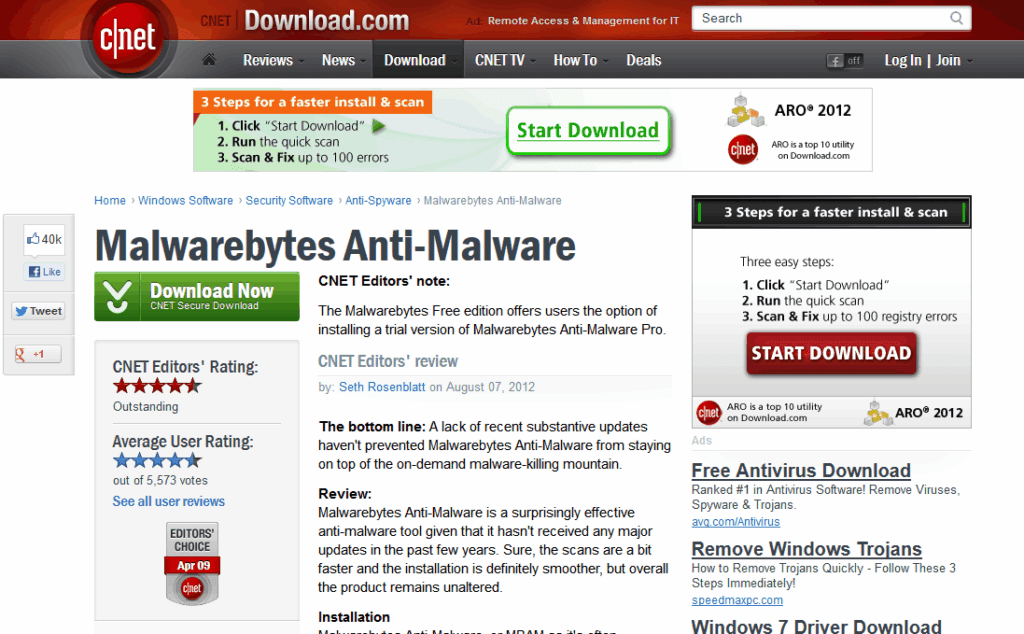
Be cautious with links and attachments in emails, especially from unknown senders. Hover over links to preview the url before clicking. If downloading from a website, ensure you are downloading from the actual download link, not an advertisement.
4. Download from Trusted Sources
Avoid pirated software or unofficial websites. Stick to reputable vendors and verified platforms. It is not uncommon for authors of ‘cracks’ to add malware into the software or for the software being unable to be updated.
5. Backup Regularly
Keep offline or cloud-based backups of critical data. Have a backup plan using a method such as 3-2-1. If ransomware strikes, a clean backup can save you from having to pay or lose data permanently.
6. Use Access Controls and Least Privilege
Only give users and systems the access they need. Limiting permissions helps contain threats if a device is compromised. For example a compromised ‘standard permission user’ will have less impact than a compromised ‘administrator’ or ‘domain admin’ account.
Malware and Incident Response
When malware does get in, knowing how to respond quickly is essential. Isolate the system, investigate the scope of the infection, and begin recovery. This may involve restoring from backups, reimaging devices, or notifying affected users.
If you’d like to learn more about how to handle incidents like this, take a look at our post on how to respond to security incidents. It breaks down the process step by step so you’re prepared when something goes wrong.
Final Words
Malware is always evolving, and attackers are constantly looking for new ways to trick users and bypass defences. The more you understand how malware works and appreciate how severe the risk is, the better you can protect against it.