Knowing the types of operating systems (OS) you’ll encounter and the basics is crucial for Server Administration. These OSes are the backbone of infrastructure and networks: Here’s a quick overview of the most operating systems you’ll come across
Windows Server

Microsoft’s Windows Server is a major player that almost all organisations use, offering a familiar user-friendly interface familiar to anyone who has used Windows. It integrates somewhat seamlessly with other Microsoft products like Active Directory and SQL Server. Windows Server is commonly used in corporate environments, windows servers may act as a numbers of roles including as Domain Controllers, File Servers, Terminal servers and print servers.
Other common roles Windows Server are used for are Microsoft SQL Server for storing databases and IIS Webserver for hosting ASP.NET websites.
Windows Server Versions are typically identified by the year it was released, on a 3 year cycle. Common versions you can expect to see in the industry are
- Windows Server 2022 (End Of Support: 14-10-2031)
- Windows Server 2019 (End Of Support: 09/01/2029)
- Windows Server 2016 (End Of Support: 12/01/2027)
- Windows Server 2012 / R2 (End Of Support: 10/10/2023)
Windows Desktop

Windows Desktop is a popular operating system developed by Microsoft, widely used on workstations and laptops both at home, and in the workplace. It is compatible with a wide range of hardware and has a broad range of uses from general office use, gaming and productivity.
The common operating systems you will come across include:
- Windows 11 (Current)
- Windows 10 (End Of Support: 14/10/2025)
- Windows 8/8.1 does technically exist, but was horrible with most people accepting the free upgrade to Win10
- Windows 7 (End Of Support: 14/01/2020)
Older operating systems exist such as Windows Vista and XP, however these should be treated as legacy and hopefully not connected to the internet!
Linux
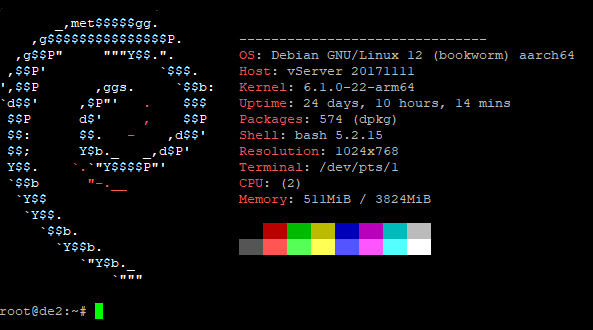
Linux is the most widely used OS in server environments, known for its stability, security, and flexibility. . Most Linux distro’s are open-source, meaning it’s free to use and highly customizable. You’ll find it powering web servers, databases, and embedded devices across the globe.
Many Linux servers you encounter will not have a ‘desktop like experience’, but rather only have a console command line. Some packages installed on the servers may have a web management interface.
Linux distributions, or “distros,” can be categorized into several main types based on their lineage, package management systems, and intended use cases. Here’s a breakdown of the main types:
Debian-Based Distributions:
Debian is one of the oldest and most stable Linux distributions, known for its strict adherence to free software principles. It uses the APT (Advanced Package Tool) for package management. Debian serves as the foundation for many popular distributions, including:
- Ubuntu: A user-friendly and widely used distro that’s great for beginners and general-purpose use. Ubuntu is available in both desktop and server versions and has several official variants like Kubuntu (with KDE) and Xubuntu (with Xfce).
- Linux Mint: Based on Ubuntu (and sometimes directly on Debian), Mint offers a more traditional desktop experience with an emphasis on ease of use and pre-installed media codecs.
Red Hat-Based Distributions:
Red Hat Enterprise Linux (RHEL) is a commercially supported distro designed for enterprise environments. It’s known for its stability, security, and long-term support. RHEL uses the RPM (Red Hat Package Manager) system. Key Red Hat-based distros include:
- Centos: A free, community-supported version of RHEL, CentOS was widely used in enterprise environments before its shift to CentOS Stream, which follows a rolling release model. For traditional RHEL-based stability, users now often turn to AlmaLinux or Rocky Linux, both of which are direct replacements for CentOS.
- Fedora: Sponsored by Red Hat, Fedora serves as the testing ground for new technologies that might eventually make their way into RHEL. It’s a cutting-edge distro that offers the latest features and software.
Arch-Based Distributions:
Arch Linux is a lightweight and flexible distro known for its simplicity and control. Arch uses a rolling release model, meaning users always have the latest software. It uses the Pacman package manager. Notable Arch-based distros include:
- Manjaro: A more user-friendly take on Arch Linux, Manjaro offers an easy installation process, pre-configured desktop environments, and out-of-the-box functionality, making it accessible to a wider audience.
- EndeavourOS: Another Arch-based distro, EndeavourOS aims to be a bridge between pure Arch and user-friendliness, with a minimalistic approach that still provides an easy installation experience.
SUSE-Based Distributions:
SUSE Linux Enterprise Server (SLES) is another major enterprise-focused distro, known for its robustness and support for cutting-edge technologies like Kubernetes and SAP. SUSE uses the zypper package manager. Key SUSE-based distros include:
- openSUSE Leap: A stable, enterprise-ready distribution that shares the same codebase as SLES. It’s suitable for both desktops and servers.
- openSUSE Tumbleweed: A rolling release version of openSUSE that provides the latest software and features, aimed at developers and those who prefer cutting-edge software.
Unix
Unix is the predecessor to Linux and is still used in some enterprise environments. Operating systems like AIX (IBM), and Solaris are Unix-based. They’re robust, secure, and often found in older, mission-critical systems. Unix operating systems tend to be proprietary and not open source.
FreeBSD
FreeBSD is an open-source operating system based on Unix, known for its reliability, performance, and advanced networking features. It’s widely used in servers, embedded systems, and networking applications. FreeBSD is distinct from Linux in several key ways, despite both being Unix-like operating systems.
One of the main differences lies in their origins: FreeBSD is based on the original Unix code, while Linux was developed from scratch as an open-source alternative. This gives FreeBSD a different kernel, file system structure, and licensing model. While Linux uses the GPL (GNU General Public License), FreeBSD uses the more permissive BSD license, which allows users and companies to modify the code and redistribute it without making their changes public.
Due to FreeBSD focusing on reliability over new functionality, it can lack extensive driver support for the latest hardware. Examples of systems that run FreeBSD include TrueNas and pFsense.
macOS Server
Although less common, macOS Server is used in specific niches, such as creative industries or environments heavily invested in Apple products. It’s user-friendly but not as versatile as Linux or Windows for large-scale server management.
macOS Desktop
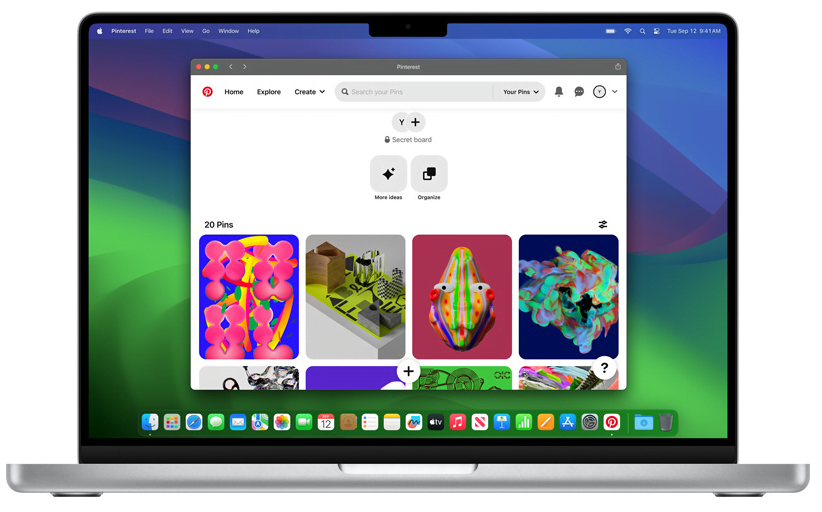
macOS is a Unix-based operating system developed by Apple, tailored for Mac computers. It offers strong security features, regular updates, stable performance and is heavily optimised for Apple Hardware.
macOS supports a range of applications, especially those related to creative fields like video editing and design, but it also runs Unix-based software, giving it flexibility and been suitable for programming. One of the limitations of macOS is that it can only officially be installed on Apple products.
Common Versions of macOS are:
- macOS Sonoma (14) – Released 2023.
- macOS Ventura (13) – Released 2022
- macOS Monterey (12) – Released 2021
- macOS Big Sur (11) – Released 2020