Thin PCs, also known as thin clients, are lightweight computers with very limited resources that rely on another server for intensive processing and data storage.
Unlike traditional PCs, which are handle most tasks locally thanks to a beefy CPU and lots of RAM, thin PCs act as access points to connect to more powerful remote servers, such as a Terminal Server. They’re primarily used in environments where simplicity, cost-efficiency, and centralized control are important, such as corporate offices, educational institutions, and healthcare.
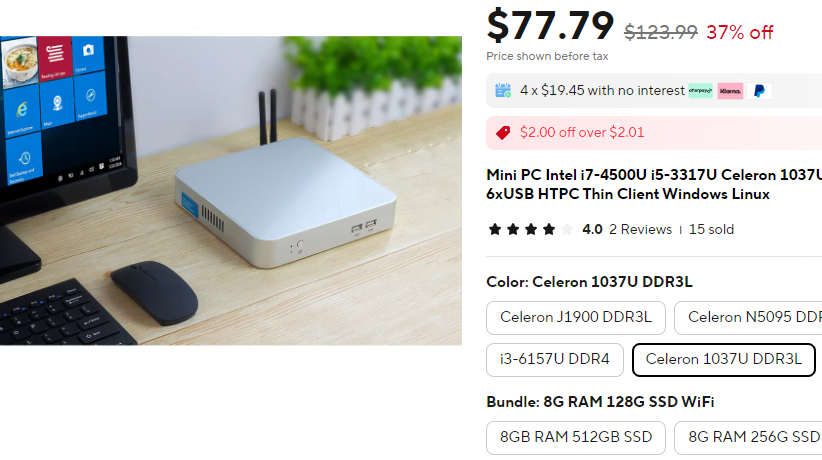
Example of an Affordable Thin PC on AliExpress
Advantages of Thin PCs
- Cost-Effective: Thin PCs are less expensive than traditional desktops, both in terms of initial investment and ongoing maintenance. The hardware requirements are lower, and because most of the processing is done on a remote server and they may not even have to run Windows.
- Easy to Manage: IT departments can focus on managing the servers the thin-pc’s connect to, instead of the individual workstations. If the Thin PC dies, a new one can be simply shipped without recovering the data off the old machine. As the devices do not have large fans and can be mounted on the desk, they may require less ongoing physical maintenance.
- Enhanced Security: Besides the Operating System, data is stored on the remote server rather than the local machine, reducing the risk of data theft or loss. Thin PCs are ideal for environments that prioritize data protection, such as financial services, retail and healthcare.
- Energy Efficient: Thin PCs typically consume far less power than traditional PCs, making them more environmentally friendly and cheaper to run.
Challenges of Thin PCs
- Server Dependency: Since thin PCs rely heavily on the remote server for their operation, any downtime or performance issues with the remote server can significantly impact the users. Network reliability and server uptime are crucial for uninterrupted access. It is common for sites which heavily use remote terminal servers to have a backup failover internet connection such as 4G.
- Limited Local Processing Power: Thin PCs are not suitable for resource-heavy tasks like video editing or 3D modeling. Due to the local machine has limited computational capabilities (sometimes less than your smartphone), it is only suitable for general office tasks or remote desktop use.
- Initial Setup Costs: While thin clients are cheaper to maintain, the initial cost of setting up a robust server infrastructure can be high. This includes investing in powerful servers, network improvements, and licences for management software.
- Network Bandwidth Requirements: Thin PCs rely on constant communication with the server, which can put a strain on the network. In bandwidth-limited environments, performance may suffer, especially when multiple users are connected simultaneously.