Reliable servers are critical for any business and company. But what exactly makes them different and any more reliable than using a regular Desktop Workstation as a server?
In production, every second of downtime and disruption can cost thousands of dollars! Servers are designed for maximum performance, continuous operation and being resilient to hardware failure.
In this article we will discuss the key components that make a server reliable and suitable for production workloads:
1. Data redundancy & Availability: RAID & Hotswap
RAID (Redundant Array of Independent Disks) if setup correctly ensures data redundancy by spreading data across multiple hard drives. In case of a drive failure, data can still be accessed normally from the other drives, minimizing the risk of data loss and allowing the server to continue operate without disruption.

Many servers allow for the failed hard disks to be ‘hot swapped’ and replaced without powering off the server removing the need to schedule downtime.
2. Redundant Power Supplies
Power failure is one of the biggest threats to server uptime!
Servers and enterprise networking equipment often include redundant power supplies to mitigate this risk of a power supply failure, power source failure or if a power plug falls out while working on the server.
Most data centres have a A+B power to the rack with power coming from two different power buses. .
PSU 1 would be plugged in to A, PSU 2 would be plugged into B to give protection against a partial power failures in the datacentre.
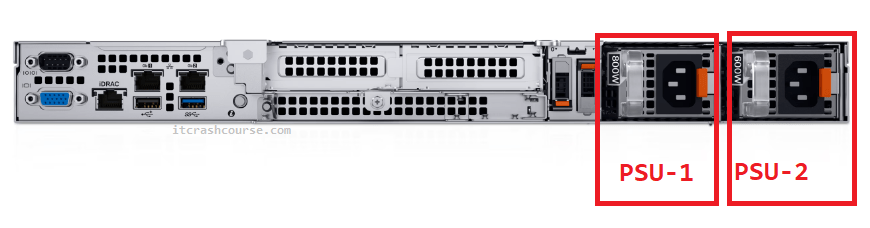
Many servers allow for the power supply to be hot-swapped and replaced while the server is still on.
3. ECC RAM (Error-Correcting Code RAM)
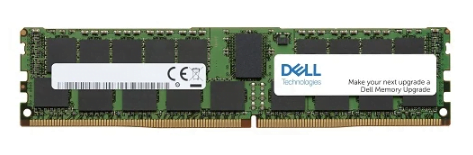
Unlike standard Desktop RAM, ECC RAM can detect and correct memory errors, which helps prevent data corruption. This is especially important in servers where long-term stability is required and memory errors could cause significant system crashes, data corruption and unpredictable behavior.
Higher end servers often include functionality to disable the affected the memory DIMM if a failure is identified and even ‘Self Heal‘ by rewriting around the failed memory locations to spare space at a hardware level.
4. Stable Operating System
Server’s operating systems such as Windows Server and RHEL are designed to be stable, secure and ensure uptime. While most Server operating systems have many similarities to their desktop equivalents, many key differences include:
- Only stable well tested features are implemented
- Designed to support higher end hardware (multiple physical CPU’s, hundreds of TB of RAM)
- Less bloat and unnecessary background services
- Long term support and security updates
- Removal of many irritating features such as Automatic Reboot
5. Support Contract
When hardware fails you need it repaired now!
Almost all server manufactures have the option of purchasing support contract on top of the basic warranty. If hardware fails or an issue arises, a technician can often be on site within hours or the next day with the correct component.
In many large datacentres, major manufactures have their own technicians stationed and ready to assist customers within a few minutes!
6. Hardware Monitoring
Real-time monitoring and fault detection is essential when managing servers to avoid an issue not being detected until it is to late to fix or causes additional issues.
Servers will often include built in monitoring tools and functionality to monitor the health of the server. In the event of a failure or warning, the server will often send an email to the administrator, beep and in some cases even automatically order the replacement part.
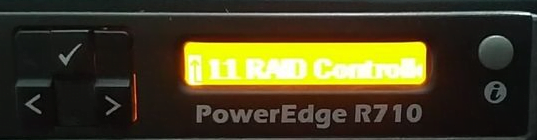
Hardware monitoring is almost always suplimented with traditional monitoring tools like Nagios, Zabbix, or Datadog can monitor disk space, CPU usage, memory load, and network traffic.
7. Remote Management Card (IPMI, iLO, or DRAC)
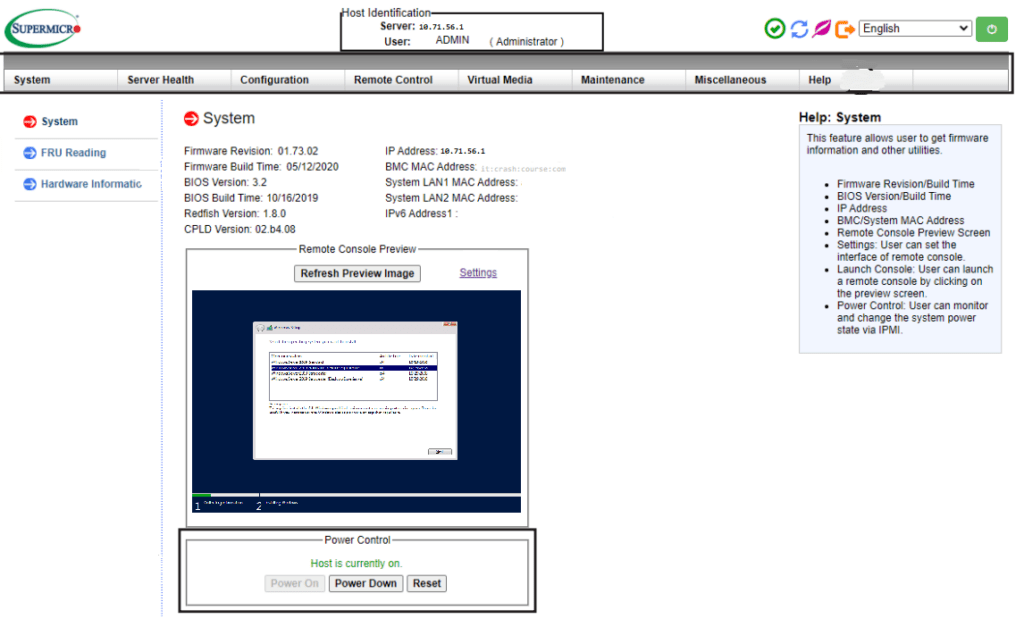
One of the most valuable features of a server is its remote management card. Different vendors call these cards different names but they all work the same. Inside the server is a small computer with its own dedicated network interface that monitors the vital parameters of the server.
This allows server administrators to sign onto the server through a web interface even if its crashed to see what is on the screen, issue commands such as power-cycle and review information about the server to identify any faults.
This is particularly useful for troubleshooting and rebooting servers without having to be physically in front of the server.
Do you have any questions about server hardware or thoughts on this article? Let us know in the comments below