The Domain Name System (DNS) is like the internet’s address book. It translates human-readable domain names (like example.com) into IP addresses (like 192.168.1.1) that computers use to identify each other devices on the network and internet. Without DNS, you’d have to memorize long strings of numbers just to visit a website.
When it works it’s invaluable, but when it fails it can be hard to pinpoint exactly what has failed and have catastrophic impacts to a network.

DNS at the Client Level
When you connect to the internet, your device uses a DNS server to resolve domain names into IP addresses. Most internet providers assign DNS servers automatically, but you can manually set public DNS servers like Google’s (8.8.8.8) or Cloudflare’s (1.1.1.1).

For devices in a company on a ‘Domain’, the DNS Server will be set as the ‘Domain Controller’ or the company’s own internal DNS server so internal resources such as printers can be found.
How DNS Servers Work
DNS servers operate in a hierarchy. When you type a domain into your browser:
- Your device or computer checks its cache for the IP address.
- If not found, it asks a recursive DNS server (like your ISP’s).
- The recursive server queries the authoritative DNS server (Name Server) for the domain.
- The IP address is returned and used to load the website.
This process happens in under a second!
A simplified representation of this process can be seen in the diagram below. Note that the ‘Authoritative Name Server’ will never communicate directly with the device, but rather pass the DNS record to the DNS Server that contacted it.

DNS at the Domain Level
When you own a domain, DNS helps you control where your website and services point. This is done by adding or modifying DNS records in your domain’s DNS settings, usually managed through your hosting provider or registrar.
Different DNS Record Types
Within the DNS Settings for the Domain you will see and have the option adding
- A Record: Links your domain to an IP address (e.g., your website server).
- CNAME Record: Redirects one domain to another (e.g.,
www.example.comtoexample.com). - MX Record: Specifies what mail server incoming emails should be sent to
- TXT Record: Provides additional information, often for verification (e.g., SPF for email security).

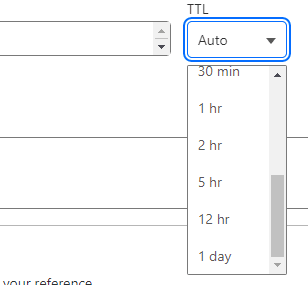
TTL (Time to Live): A setting in DNS that specifies how long a record is cached by DNS servers and devices before being refreshed. In most cases this should be set between 6 hours to 24 hours unless you have a specific reason.
Subdomains
Subdomains are extensions of a main domain used to organize or separate different sections of a domain, like blog.example.com or store.example.com. The www prefix is technically a subdomain that is commonly redirected to the root domain (e.g., example.com) for user convenience.
Authoritative Name Servers
Authoritative name servers are the DNS servers that hold the official DNS records for a domain, such as A, MX, and TXT records. In the case of ‘ITCRASHCOURSE.COM’ as shown above, would be:
wesley.ns.cloudflare.com
yolanda.ns.cloudflare.com
For more information on Name Servers, check out our article Web Technologies: DNS Name Servers
Common DNS Issues
- DNS Propagation: When you update DNS records, changes can take hours to spread globally due to the records being cached by other DNS Servers and devices.
- Incorrect Settings: Misconfigured records or using the wrong DNS Servers can prevent DNS resolutions
- Cache Problems: Old DNS entries can cause websites not to load; clearing your DNS cache can help.
- DNS Server Issues: Slow or unresponsive DNS servers may slow down or prevent the resource being found
Wrap Up
DNS is a critical part of how the internet and large enterprise networks work. Having a solid understanding of DNS is essential for almost every IT profession!
Have you been caught out with DNS or have any questions? Let us know in the comments below